
Punjab Introduces Feature to Turn Phones Into Safe City Cameras – Full Details, Benefits & How It Works
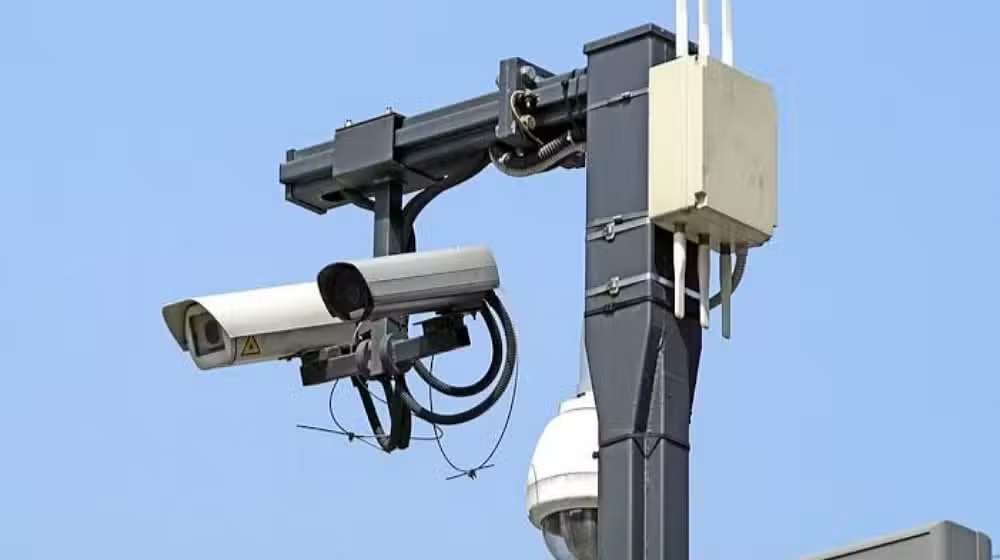
The Punjab government has taken another major step toward smart security and real-time emergency response. Under the “Safe Punjab Vision” of Chief Minister Punjab, the Punjab Safe Cities Authority (PSCA) has launched a groundbreaking feature that allows every citizen’s mobile phone camera to work like a Safe City CCTV camera.
This new technology—called “Connect to PSCA”—has been added to the official Public Safety App. With this feature, citizens can instantly share live video footage of emergency incidents directly with the Safe City Command & Control Centre.
This is one of the biggest digital security upgrades in Punjab’s history, designed to protect citizens, strengthen emergency response, and support law enforcement with verified, real-time evidence.
What Is the “Connect to PSCA” Feature?
The Connect to PSCA feature is a high-tech tool that turns your mobile phone into a real-time Safe City camera during an emergency situation.
When a citizen calls 15 Emergency Helpline, the Safe City officer can send the caller a live-feed link. Once the user taps the link:
- Their mobile camera goes live directly to the PSCA Control Room
- Operators can watch exactly what is happening at the location
- Police and emergency services can be dispatched quickly and accurately
This feature is designed for:
- Robberies
- Accidents
- Harassment
- Violence
- Kidnapping attempts
- Fire emergencies
- Terrorism-related threats

Why Did Punjab Introduce This Feature?
Punjab has been working to build a modern, AI-powered, technology-driven policing model. The idea behind this feature is simple:
A citizen holding a phone at an emergency site can provide instant visual proof faster than any existing surveillance camera.
Because Safe City CCTVs cannot cover every small street, home, market, or rural area, this mobile-based technology will help:
- Cover blind spots
- Increase crime reporting
- Strengthen public safety
- Provide real-time evidence
- Reduce incident response time
This is part of a larger plan to link 10 million citizens with the Safe Punjab ecosystem.
Read Also: Breaking News: NADRA Launches Online Biometric Verification for Islamabad Vehicle Transfers

How “Connect to PSCA” Works (Step-by-Step)
Step 1 — Citizen Calls Helpline 15
In case of any emergency, the citizen dials 15 from their mobile phone.
Step 2 — Officer Sends Live Video Link
A Safe City operator sends a secure live-stream link through SMS or WhatsApp.
Step 3 — Citizen Opens the Link
When the caller taps the link:
- The phone camera activates
- The video is streamed to PSCA HQ in real time
- Operators view immediately on large display screens
Step 4 — Safe City Sends Help
Based on the video:
- Police assistance is dispatched earlier
- Rescue teams get accurate details
- Route planning becomes faster
- Officers get visual identification of suspects
Step 5 — Video Is Recorded as Evidence
The footage can be used later for:
- FIR support
- Court evidence
- Crime investigation
- Digital verification

Major Benefits for Citizens
1. Faster Emergency Response
Real-time visuals mean police no longer rely only on verbal descriptions. This reduces response time by up to 50%.
2. Stronger Personal Safety
Whether someone is:
- Stuck on the road
- Witnessing a crime
- Facing harassment
- Seeing suspicious activity
They can show everything directly to Safe City operators.
3. Accurate Dispatching of Police
Live video helps:
- Assign the nearest police vehicle
- Estimate threat level
- Alert relevant agencies
4. Evidence That Cannot Be Manipulated
Footage is recorded automatically and securely, which helps:
- Strengthen investigations
- Prevent false cases
- Identify criminals
- Support victims in court
5. Increased Public-Police Coordination
Citizens become digital partners in surveillance, making Punjab safer and smarter.
Read Also: Breaking News: NADRA Launches Online Biometric Verification for Islamabad Vehicle Transfers

Impact on Crime Control & Public Safety
This feature will deeply change Punjab’s security model. Some key impacts include:
Wider Surveillance Coverage
Safe City cameras cannot reach inside:
- Streets inside mohallas
- Homes
- Shops
- Schools
- Rural villages
- Remote corners
But a citizen’s smartphone can.
Quick Verification of Emergency Calls
Many prank or false calls waste police resources.
With live video:
- Operators verify calls instantly
- Reduce unnecessary dispatches
- Focus on real emergencies
Strong Deterrence Against Criminals
Criminals will now know that any citizen can become a live reporter within seconds.
Increased Public Trust
People feel more secure when they know:
- Their call will be verified
- Police will reach faster
- Their evidence will be recorded
Is This Feature Safe and Secure?
PSCA has clarified that:
The service is ONLY for emergencies
The feature cannot be used casually or for entertainment.
The phone connects ONLY when the citizen accepts the link
Nothing works automatically without consent.
Location access is required for accuracy
Users should keep GPS/location ON during emergencies.
Videos are stored under strict digital security rules
Data is protected under PSCA’s cybersecurity framework.
How to Use the Safe City Public Safety App
To use “Connect to PSCA,” citizens must download the PSCA Public Safety App.
App Features Include:
- Report emergencies
- Send crime evidence
- Track service requests
- Stay updated on safety alerts
- Use location-based SOS tools
Why This Feature Matters for Punjab’s Digital Future
Punjab has been rapidly adopting smart policing technologies, including:
- AI-powered Safe City Cameras
- Automatic Number Plate Recognition (ANPR)
- Facial Recognition Systems
- Drone surveillance
- Smart patrolling vehicles
- e-Challan and traffic monitoring
The new mobile live-stream system will:
- Bring millions of mobile devices into the safety network
- Build community-driven policing
- Make Punjab a model smart province in South Asia
Who Should Use This Feature?
This feature is especially useful for:
- Students
- Women
- Commuters
- Drivers
- Shopkeepers
- Delivery riders
- Families
- Emergency witnesses
Anyone who encounters a risky situation can share a live video feed within seconds.
Important Instructions for Citizens
To ensure smooth operation:
- Always keep phone location ON
- Keep your mobile data active
- Use the feature only for real emergencies
- Do not share unnecessary videos
- For serious incidents, call 15 immediately
Examples of Situations Where Live Video Helps
✔ Road accidents
✔ Snatching or mobile theft
✔ Domestic violence
✔ Kidnapping attempt
✔ Fire emergency
✔ Suspicious individuals near home
✔ Harassment in public places
✔ Dangerous fights
✔ Car crash or hit-and-run
In all these cases, Safe City officers can visually verify and respond faster.
Conclusion
The Punjab government’s new “Connect to PSCA” feature is a revolutionary upgrade in public safety. By turning mobile phones into instant Safe City cameras, Punjab has empowered citizens to become first responders and digital partners in security.
This technology will help reduce crime, speed up emergency response, and build a stronger, safer, and smarter province. With millions of people now able to live-stream incidents in real time, Punjab is moving toward a future where every citizen plays an active role in protecting society.
Frequently Asked Questions (FAQs)
1. Can anyone use this feature?
Yes, any citizen with a smartphone can use it during a real emergency.
2. Does Safe City get access to your camera without permission?
No. You must open the link yourself to enable live streaming.
3. Is the feature available across all of Punjab?
Yes, PSCA is expanding it throughout Punjab’s major cities and districts.
4. Is my recorded video safe?
Yes. PSCA stores all recordings under strict cybersecurity protocols.
5. What if my internet is slow?
The system adjusts video quality automatically, ensuring connection remains active.